


all roles
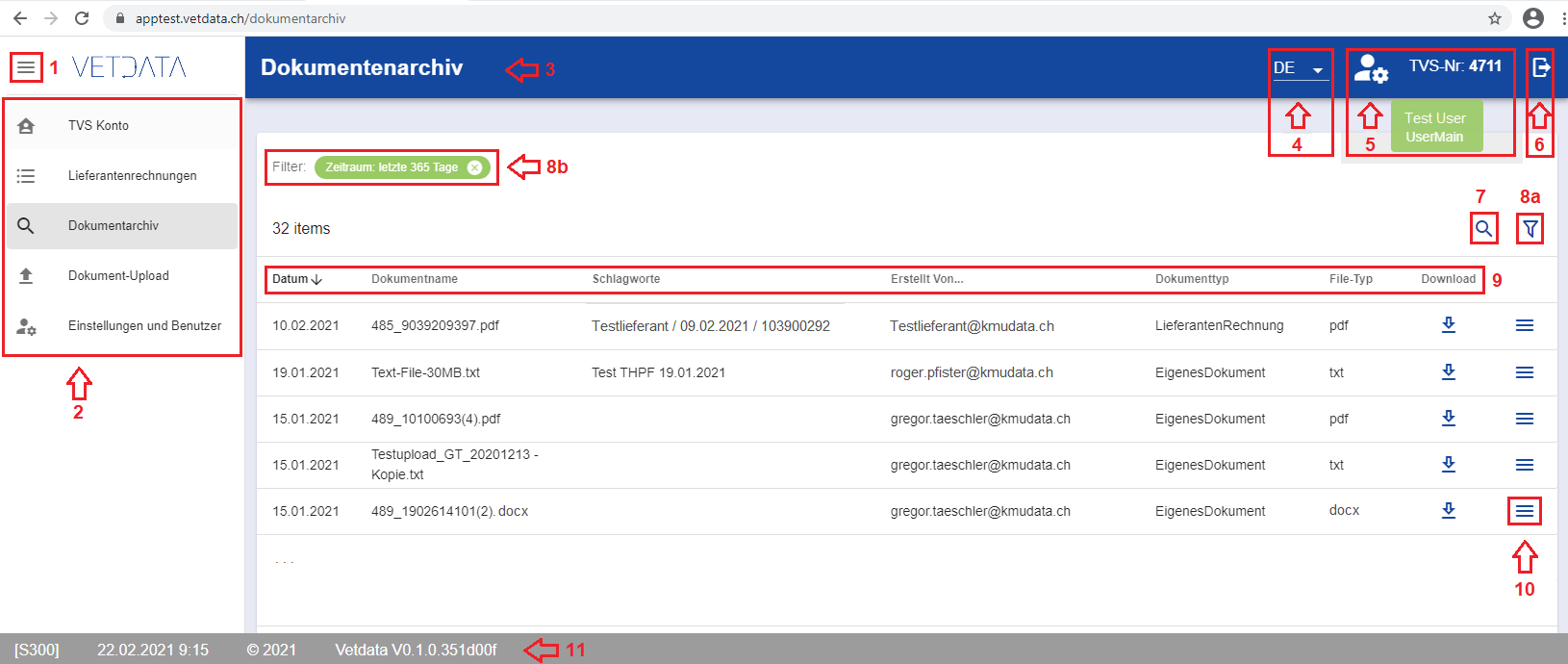
- Reduce / enlarge navigation
- Dialogs Navigation (depending on the role, not all dialogs are displayed)
- Dialog Title
- Language selection (DE / FR)
- TVS subscriber number (and via “mouse-over” display of the active user and role)
- Logout
- Show search field (above the listing)
- Display filter dialog (8b.- each set filter is displayed and can also be deleted directly)
- Column title (you can sort by this column with a “mouse click”)
- Action (burger menu) per list entry
- Status bar (screen ID, date and time, copyright, software version)